The best way to grade the strike, structure by structure.
Before and after VHR imagery, turned into a dated, per-structure damage grade for the target folder, for the moment the re-strike question lands on your desk.
| Structure ID | Grade | After image |
|---|---|---|
| STR-014 | Grade 4 of 5 | yyyy-mm-dd |
| STR-015 | Grade 2 of 5 | yyyy-mm-dd |
| STR-016 | No gradeflag | yyyy-mm-dd |
The job today
What lands in the target folder now
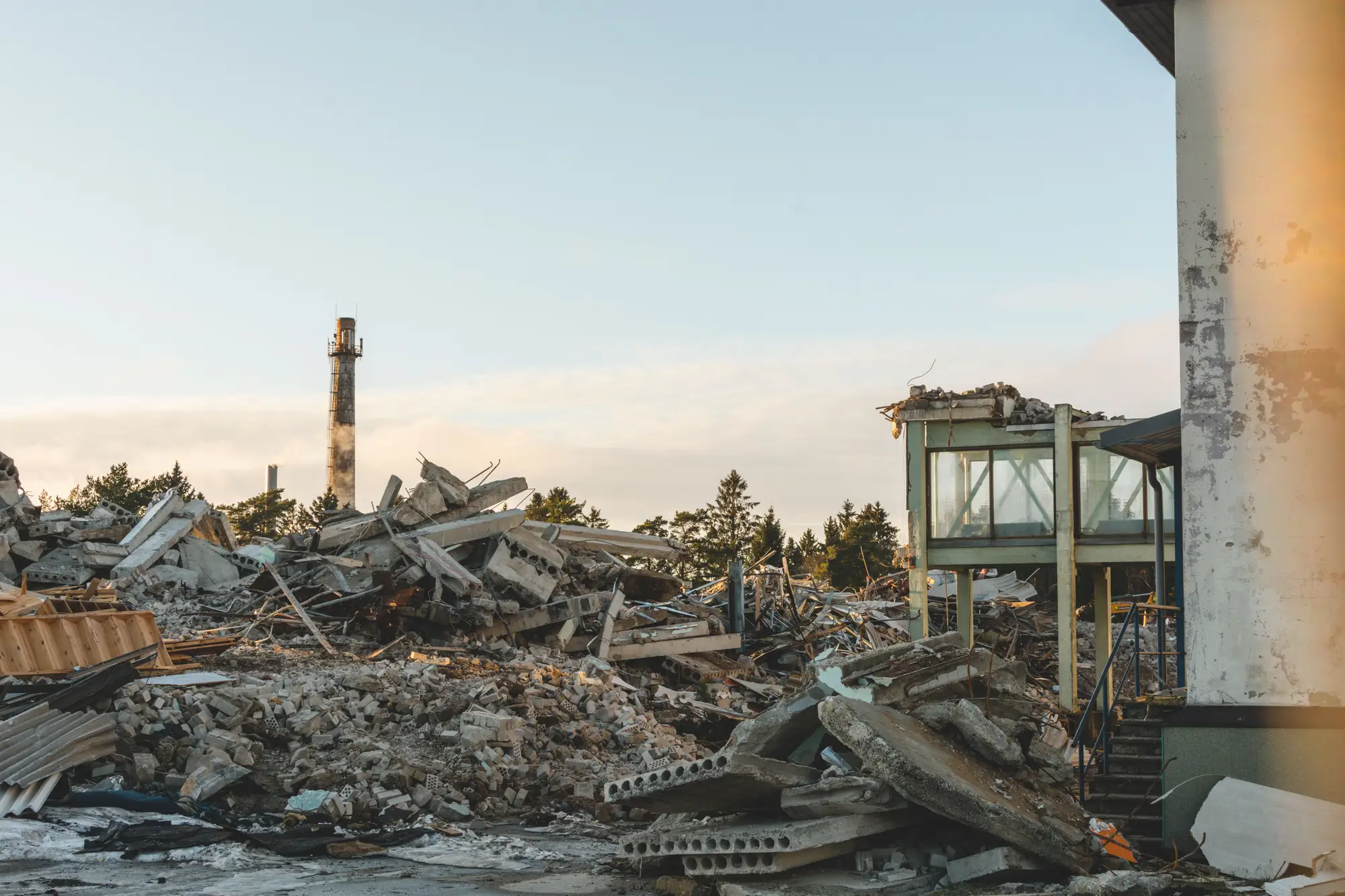
A strike package goes. Some time later an imagery analyst lays the before picture next to the after picture and writes the BDA report: what changed physically, what that probably means for the target's function, and whether to hit it again. Most of it ends up as prose with a graphic.
Then the planning officer picks it up. The target folder holds a compound with several structures in it. The report says the main building took heavy damage and the outbuildings were affected to varying degrees. You need to know which outbuildings, graded how, from what date's image. The answer is somewhere in the paragraphs, and the re-strike decision waits while someone pulls it out by hand and rebuilds it as a list.
A dated table has one row per structure, with the same grade scale on every row and the image pair next to it. It does not make the call. It stops the call from resting on a summary written for someone else.
What you get
What comes back for each tasking
2.1
Structure-level grade
Table (CSV)
One row per structure inside the tasked area, keyed to a structure ID, each carrying a damage grade from the scale. The table sorts, filters and pastes into the target folder or a working spreadsheet.
2.2
Before/after image pair
Image files
For every graded structure, the pre-strike and post-strike image cropped to the same frame, so the grade can be checked by eye against what it rests on.
2.3
Assessment date
Field in the table and on each pair
The date of the after image the grade rests on, and the date of the before image. A grade is only as current as its image, and the record says so on every row.
2.4
Ungradable flags
Flag in the table
A structure that cloud, shadow or smoke hides, or that is too small to grade at this resolution, is listed with a reason and no grade. It goes back to your analyst.
2.5
Grade scale sheet
One page
The definition of each grade, stated as what is visible from above. Your analysts can hold it against their own damage criteria before anyone relies on a row.
How it works
3.1
Task the location
Send the strike location or the target folder reference, the date of the strike, and the structures you want covered.
3.2
Imagery
We find the last usable before image and take the first cloud-free after image over the target. If cloud blocks the pass, the assessment waits for the next one.
3.3
Grading
Each structure's before and after image are compared, and each structure gets a grade on the scale.
3.4
Delivery
A dated table with an image pair per structure. The date shown is the after-image date, which can be earlier than the day we send it.
Where it fits in your workflow
After the strike package, ahead of the re-strike decision
Use it as the itemised record that sits in the target folder next to your analyst's report. The analyst still reads the imagery, still writes the physical and functional damage assessment and still makes the recommendation. The table gives them, and you, a sorted list of what each structure looks like to work from.
If a folder holds structures hit at different times, a run of taskings gives you a dated grade for each, so a later row supersedes an earlier one without anyone editing a paragraph.
Limits
- L1A grade is a visual class
- It describes visible structural damage from above. It is not a confirmed kill, a casualty assessment or a statement about personnel, and no grade should be quoted as one.
- L2Physical damage only
- We do not assess functional damage, meaning what the target can still do, or how long it would take to recover. That is your analyst's inference from the physical picture.
- L3Resolution floor
- At 0.5 m a pixel covers a patch of ground half a metre across. A large building is many pixels wide and a roof collapse or a crater shows. A small shed is only a few pixels, and fine differences between adjacent grades on it cannot be read. Damage inside a structure, under a roof that still stands, or below ground is invisible.
- L4Cloud and the next pass
- Optical imagery needs a clear sky. Nothing ships without a usable after image, so the wait for one sets how soon you get a grade. We cannot give a time before the pass is known.
- L5Tasked, not watched
- Each assessment answers one tasking after one strike. There is no standing watch on a site and no alert when something changes.
Who it's for
For
- Planning and targeting officers who need a per-structure record behind a re-strike decision
- Imagery analysts who want a sorted, dated grade table to build their report on
- Staff who file damage assessments against a target folder and need each row tied to an image date
Not for
- Staff who require a confirmed-kill, casualty or personnel-status assessment
- Functional damage or recuperation estimates
- Continuous monitoring of a site, or a real-time picture during an operation
- Underground, hardened or interior damage that a top-down image cannot show
FAQ
Questions before you task one
How fast after a strike is this available?
When the next usable, cloud-free pass over the target comes down and has been graded. It is not instant. A specialist confirms the expected turnaround for your location when you task it.
Does a grade mean the structure is confirmed destroyed?
No. A grade is a visual damage class read from imagery. Your analysts decide what it means for the target.
What if cloud covers the after image?
The assessment waits for the next clear pass. We send nothing without a usable image, and we do not guess a grade through cloud.
Can it grade several structures in one target folder?
Yes. Each structure inside the tasked area is graded and logged on its own row with its own image pair.
How do we check it against our own assessment?
Task a location your analysts have already assessed and compare row by row. Where the grades disagree, the image pair next to each row shows what the grade rests on, so you can see who read it differently and why.
Will it fit our target folder and tools?
It comes as a table and image files, keyed to a structure ID you can match to your own numbering. We do not write into your systems.
Who owns the outputs and the imagery, and how is it handled?
Ownership, licence and handling terms are written into the agreement before anything is tasked. If your contracting officer or security staff need them early, ask for them in the first conversation.
How is it bought and priced?
A specialist walks you through scope and commercial terms when you get in touch. There is no price on this page and we do not quote one here.
Is this continuous monitoring?
No. It is tasked per strike, one assessment per tasking.
Task an assessment when the next strike is planned.
Tell us the target location and when the strike happened, and we will tell you what an assessment of it would return and roughly when the imagery allows it.
Get started